
Getting Started with Model Context Protocol (MCP): The Universal Bridge for Agents
Model Context Protocol (MCP) provides a standardized way for AI applications and agents to connect with external tools, databases, APIs, and services. In this beginner-friendly guide, learn how MCP works, understand its architecture, explore Tools, Resources, and Prompts, and build your first MCP server using Python. Discover how MCP simplifies AI integrations and helps developers build more capable, connected AI agents.
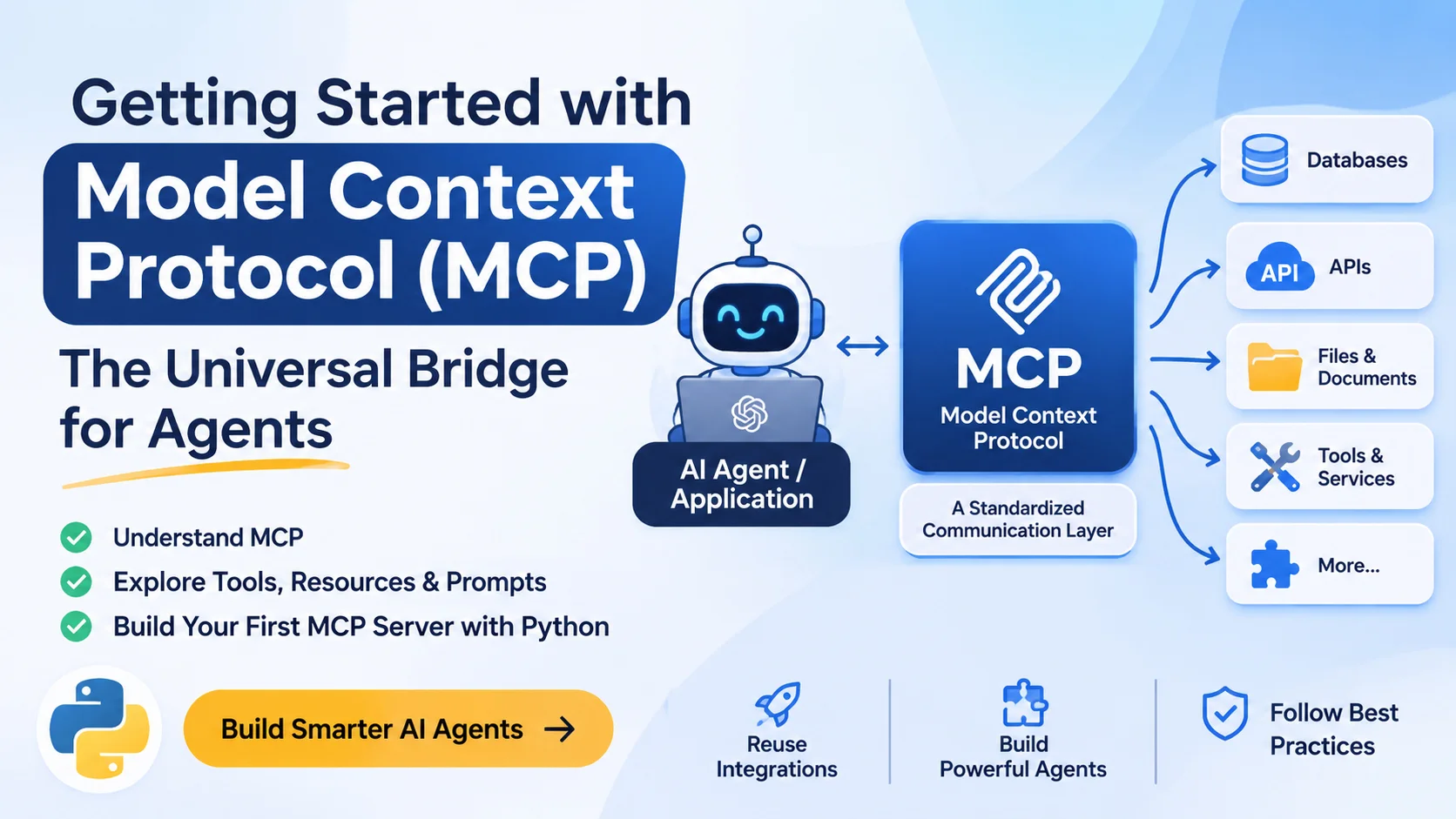
Table of Contents33 sections
Imagine building an AI-powered customer support agent. It needs to check order statuses, retrieve customer information, search a knowledge base, and perhaps create support tickets.
You could connect each service individually using API integrations and custom tool definitions. That works, but as the number of integrations grows, so does the amount of code you need to maintain.
There is another problem. Suppose you build these integrations for one AI application and later decide to switch to another. You may need to implement the same connections again because different applications handle external tools and data differently.
This is one of the problems the Model Context Protocol (MCP) addresses.
MCP provides a standardized way for AI applications to connect with external tools, data sources, and services. Instead of creating a separate integration for every AI application, developers can build an MCP server once and make its capabilities available to compatible AI clients.
It is an important development for agentic AI because agents become considerably more useful when they can interact with the systems where real information and functionality live.
Let's explore how MCP works, why it matters, and how to build your first MCP server.
1. What Is Model Context Protocol (MCP)?
The Model Context Protocol is an open protocol that standardizes communication between AI applications and external systems.
It was introduced by Anthropic in November 2024 and has since developed into an ecosystem supported by multiple AI applications and developer tools.
The easiest way to understand MCP is to think of it as a common interface between an AI application and external services.
Without MCP, an application might need custom integrations for different databases, APIs, file systems, and other services. MCP provides a shared protocol through which compatible clients can discover and use capabilities exposed by MCP servers.
For example, imagine you have built an MCP server for a PostgreSQL database. It exposes tools that allow an AI application to retrieve customer records and examine order information.
A compatible AI application can connect to that server and use its exposed capabilities without requiring you to build a completely separate integration for that particular application.
The same server can potentially work with different MCP-compatible hosts, provided they support the relevant protocol features and transports.
This is the central idea behind MCP: build an integration around a standard protocol instead of tying it to one particular AI application.
However, MCP does not automatically connect every service to every AI model. Someone still needs to implement an MCP server for the underlying system, and the receiving application must support the capabilities being offered.
2. Why Do AI Agents Need MCP?
Before MCP, connecting an AI application to external systems often meant implementing application-specific tool integrations.
Consider an AI coding assistant that needs access to:
- Local project files.
- Git repositories.
- PostgreSQL databases.
- Issue-tracking systems.
- Internal documentation.
- External development APIs.
Each integration requires the application to understand how to communicate with the corresponding service.
The problem becomes more noticeable when multiple AI applications need access to the same systems.
For example, suppose you have three applications:
- A coding agent built with LangGraph.
- An AI assistant running inside an IDE.
- A custom customer support agent.
All three need access to the same internal documentation and database.
Without a shared integration protocol, you may end up implementing similar functionality three times.
MCP introduces a common communication layer.
You can build an MCP server that exposes the database functionality and connect compatible applications to it. Each application can discover the available capabilities and use them through the same protocol.
This offers several practical advantages:
Reusability: An MCP server can be reused across compatible AI applications.
Separation of concerns: The AI application handles reasoning and orchestration, while MCP servers provide access to external systems.
Modularity: You can add or remove integrations without redesigning the entire agent.
Maintainability: Database queries, API communication, and other integration logic can live in dedicated MCP servers rather than being duplicated across different applications.
MCP does not eliminate the need for APIs or application-specific code. Instead, it provides a standardized interface around the functionality those systems already offer.
3. Understanding MCP Architecture
MCP follows a client-host-server architecture. Understanding these three components is essential before writing your first server.
MCP Host
The host is the AI application that the user interacts with.
Examples include AI assistants, coding agents, and IDE-based AI tools.
The host is responsible for managing MCP connections, coordinating interactions with the language model, handling user permissions, and controlling how external capabilities become available to the model.
An important detail is that the host can manage multiple MCP clients simultaneously.
MCP Client
An MCP client is the component responsible for communicating with an MCP server.
The host creates and manages clients, with each client communicating with one particular server.
For example, your AI assistant might have separate MCP clients connected to:
- A filesystem server.
- A GitHub integration server.
- A PostgreSQL server.
- An internal documentation server.
Each client maintains the communication boundary with its corresponding server.
MCP Server
An MCP server exposes capabilities to an MCP client.
Those capabilities might include retrieving information, executing operations, or providing reusable prompt templates.
An MCP server can run locally on the developer's machine or remotely as a service.
For example, a filesystem MCP server might expose tools for reading files, while a remote database MCP server might expose tools for retrieving customer information.
The server does not need to know which language model is being used by the host. It implements the protocol and exposes its capabilities through a defined interface.
How They Work Together
Consider a user asking an AI coding assistant:
"Find the open issues in my GitHub repository and summarize the ones related to authentication."
Here is what happens conceptually:
- The AI application connects to its configured GitHub MCP server.
- The MCP client discovers the server's available capabilities.
- The host makes relevant tools available to the language model.
- The model determines that it needs to search repository issues.
- The host invokes the appropriate MCP tool through its client.
- The MCP server communicates with the GitHub API and retrieves the matching issues.
- The server returns the results to the host.
- The host provides the retrieved information to the model, which generates the final response.
The important distinction is that MCP handles communication with the external system. The AI model remains responsible for interpreting the user's request and deciding what action is appropriate.
The host coordinates these interactions and applies the necessary permissions and approval policies.
4. The Three Core Building Blocks of MCP
MCP servers can expose three primary types of capabilities: Tools, Resources, and Prompts.
Although they may appear similar at first, each serves a different purpose.
4.1 Tools: Letting Agents Take Action
Tools are executable functions that an AI application can invoke through an MCP server.
They allow AI agents to interact with external systems rather than simply generate text.
Consider an e-commerce application. You might expose tools such as:
get_order_statussearch_productscreate_support_ticketupdate_customer_address
When a model needs to perform an operation, the host can make the relevant tools available to it. The model can then select a tool and provide the required arguments.
For example, a tool might accept:
{
  "name": "get_order_status",
  "arguments": {
    "order_id": "ORD-1042"
  }
}
The MCP server receives the request, validates the input, queries the appropriate system, and returns the result.
Tool definitions include metadata and an input schema. This allows clients to discover what a tool does and what parameters it expects.
Tools are generally model-controlled, meaning the language model can decide when to invoke them based on the user's request. However, the host can introduce approval requirements before executing sensitive operations.
4.2 Resources: Providing Context to Agents
Resources represent data that an AI application can retrieve and use as context.
Unlike tools, resources are primarily intended for reading information rather than performing actions.
Examples include:
- Application configuration files.
- Database records.
- Internal documentation.
- API responses.
- Project-related information.
For instance, a company might expose an internal documentation resource:
docs://engineering/architectureAn AI assistant can retrieve the resource and use its contents to answer questions about the company's architecture.
Resources can also use URI templates to represent dynamic data.
For example:
customers://{customer_id}/profileThis allows a client to request a particular customer's profile using the appropriate URI.
Resources are application-controlled: the client determines which resources to retrieve and when to include them as context.
4.3 Prompts: Reusable Interaction Templates
Prompts allow MCP servers to expose reusable prompt templates.
They help applications provide consistent instructions for particular tasks without requiring developers to recreate those templates in every application.
For example, an MCP server for an engineering team might expose prompts such as:
review_pull_requestsummarize_incidentgenerate_release_notes
A client can discover an available prompt, supply its required arguments, and receive the corresponding messages.
Prompts are designed to be user-controlled, meaning they are generally selected through an explicit user interaction rather than automatically invoked like tools.
Understanding the Difference
| Feature | Primary Purpose | Typical Example |
|---|---|---|
| Tools | Perform operations | Create a support ticket |
| Resources | Provide contextual data | Read engineering documentation |
| Prompts | Supply reusable instructions | Generate release notes |
A practical way to remember the distinction:
- Tools help an agent do something.
- Resources help an agent know something.
- Prompts help an agent approach a task consistently.
These three primitives are central to understanding what an MCP server can offer.
5. How MCP Communicates: Transports and Protocol
MCP is not simply a collection of tool definitions. It also specifies how clients and servers exchange messages.
The protocol uses JSON-RPC 2.0 for communication between participants.
Conceptually, MCP separates communication into two layers.
Data Layer: Defines the message structures, requests, responses, capability discovery, and features such as tools, resources, and prompts.
Transport Layer: Defines how those messages are delivered between clients and servers.
MCP currently supports two standard transport mechanisms.
STDIO Transport
STDIO stands for Standard Input/Output.
It allows an MCP host to communicate with a locally running MCP server through the process's standard input and output streams.
For example, an IDE can launch a Python MCP server as a child process and communicate with it directly.
This approach is particularly useful for:
- Local filesystem integrations.
- Development tools.
- Personal coding assistants.
- Local database connections.
It does not require a separate HTTP server or network endpoint.
One important implementation detail: standard output is reserved for MCP protocol messages. Debugging messages and application logs should go to standard error instead.
Streamable HTTP Transport
Streamable HTTP is designed for communication with remote MCP servers.
Instead of launching a local process, an MCP client connects to a server through an HTTP endpoint.
This is useful when:
- Multiple users need access to the same integration.
- An MCP server runs in a cloud environment.
- You are integrating remote enterprise services.
- You want to deploy MCP functionality independently of the AI application.
Streamable HTTP uses HTTP POST for client-to-server messages and can use Server-Sent Events (SSE) for streaming responses.
For remote deployments, authentication and authorization are important considerations. OAuth is the recommended approach for obtaining authorization tokens in the standard HTTP authorization model.
A note for developers following older tutorials: the legacy HTTP+SSE transport is deprecated in the latest specification. New implementations should use Streamable HTTP instead.
6. Build Your First MCP Server with Python
Now that we understand the fundamentals, let's create a small MCP server.
We'll build a simple order-support server that exposes a tool for checking order status.
Our example will use a small in-memory dictionary. In a real application, you would replace it with a database query or an API integration.
Step 1: Set Up the Project
First, make sure you have Python 3.11 or later installed.
We'll use uv to manage the project and its dependencies.
Create a new project:
uv init mcp-order-demo
cd mcp-order-demo
Install the official Python MCP SDK:
uv add "mcp[cli]"The CLI extras include development commands that are useful for running and testing MCP servers.
Step 2: Create the MCP Server
Create a file named server.py.
Add the following code:
from mcp.server import MCPServer

mcp = MCPServer("order-support")

# Sample order data
ORDERS = {
    "ORD-1042": {
        "status": "Shipped",
        "estimated_delivery": "November 2"
    },
    "ORD-1043": {
        "status": "Processing",
        "estimated_delivery": "November 5"
    }
}


@mcp.tool()
def get_order_status(order_id: str) -> str:
    """Retrieve the shipping status of an order."""

    order = ORDERS.get(order_id.strip().upper())

    if order is None:
        return f"No order found with ID {order_id}."

    return (
        f"Order ID: {order_id}\n"
        f"Status: {order['status']}\n"
        f"Estimated Delivery: {order['estimated_delivery']}"
    )


@mcp.resource("store://shipping-policy")
def shipping_policy() -> str:
    """Provide the store's shipping policy."""

    return (
        "Standard shipping typically takes "
        "3-5 business days."
    )
Let's examine what we have built.
First, we create an MCP server using:
mcp = MCPServer("order-support")Next, we define a function and decorate it with @mcp.tool().
This registers the function as an MCP tool. The SDK uses its type annotations and documentation to generate the tool's input schema and description.
Our tool accepts an order ID, searches the sample data, and returns the corresponding order status.
We also register a resource using:
@mcp.resource("store://shipping-policy")This exposes the shipping policy as readable context.
Notice that we did not have to implement JSON-RPC message handling, request parsing, or protocol communication manually. The SDK handles those details.
Step 3: Run and Test the Server
The official Python SDK includes a development command that allows you to test an MCP server through the MCP Inspector.
Run:
uv run mcp dev server.pyThe command launches the server and provides access to the MCP Inspector.
The Inspector offers an interactive interface for examining and testing server capabilities.
You should be able to find:
Tools: get_order_status
Try providing:
{
  "order_id": "ORD-1042"
}
The tool should return:
Order ID: ORD-1042
Status: Shipped
Estimated Delivery: November 2
You can also inspect the Resources section and retrieve:
store://shipping-policyThis gives you a working MCP server with both a tool and a resource.
Step 4: Connect It to an AI Application
Testing the server through the Inspector is useful, but the real value comes from connecting it to an MCP-compatible host.
A host generally needs the command that launches your server and the required arguments.
For a local STDIO integration, the launch command can be:
uv run --with "mcp[cli]" mcp run /absolute/path/to/server.pyYou then configure the command in the host's MCP settings.
The exact configuration format depends on the application. Claude Desktop, Claude Code, Cursor, and VS Code, for example, have their own configuration conventions.
Once connected, the host can discover the available tools and resources.
You can then ask the AI assistant:
"Check the delivery status of order ORD-1042."
The model can select get_order_status, provide the order ID, and use the returned information to construct its response.
One thing to remember: this example uses static data. A production implementation should connect to a real data source, validate inputs, enforce user-level access permissions, and avoid exposing customer records to unauthorized users.
For complete implementation details, the official MCP Python SDK documentation is a good starting point.
7. MCP vs Traditional APIs, Function Calling, and Agent Frameworks
Developers often confuse MCP with REST APIs, model function calling, or frameworks such as LangChain and LangGraph.
They are related, but they solve different problems.
MCP vs REST APIs
REST APIs allow applications to communicate with services through HTTP endpoints.
For example, an e-commerce application might provide:
GET /api/orders/ORD-1042An application that wants to use this endpoint must understand the API's authentication, request parameters, response format, and other requirements.
MCP does not replace the underlying REST API.
Instead, an MCP server can wrap the API and expose its functionality as standardized MCP tools and resources.
The original API continues to handle the business operation, while MCP provides a consistent interface for AI applications.
MCP vs Function Calling
Function calling allows a language model to request the execution of external functions.
For example, an application might provide a model with a get_weather function.
The model can decide when to call it and generate the required arguments.
However, function-calling formats and integration mechanisms are often tied to a particular model provider or application implementation.
MCP standardizes how external capabilities are exposed, discovered, and invoked across compatible clients.
The two approaches can work together: an MCP client can discover server tools and make them available to a model through its supported function-calling interface.
MCP vs LangChain and LangGraph
LangChain and LangGraph are frameworks used to build LLM-powered applications and agents.
They provide abstractions for integrating models, tools, workflows, state, and other application components.
MCP has a different responsibility.
It standardizes communication between AI applications and external systems.
For example, you could build an agent using LangGraph and connect it to an MCP server that provides database access.
LangGraph would handle the agent workflow, while MCP would handle communication with the external database integration.
These technologies are complementary rather than direct competitors.
8. Real-World Use Cases of MCP
MCP becomes particularly useful when an AI application needs access to multiple external systems.
Here are some practical scenarios.
AI Coding Agents
Coding assistants can connect to MCP servers that expose filesystem operations, Git repositories, issue trackers, documentation, and development tools.
An agent can inspect project information, retrieve relevant issues, and interact with development services through a consistent interface.
Customer Support Agents
A customer support agent might need access to order management, customer profiles, product information, and a knowledge base.
Instead of implementing all integrations directly inside the agent, developers can expose those capabilities through separate MCP servers.
For example, when a customer asks about a delayed order, the agent can retrieve the order information and consult the shipping policy before generating a response.
Business Intelligence Agents
An AI assistant can connect to database and analytics MCP servers to retrieve business information.
A manager might ask:
"Show me the total sales for the previous month and identify the best-performing products."
Depending on the available tools, the agent could retrieve sales records, execute approved queries, and summarize the results.
Sensitive database operations should remain restricted through appropriate permissions and validation.
Enterprise Knowledge Assistants
Organizations often store internal knowledge across documentation platforms, databases, ticketing systems, and file repositories.
MCP servers can provide standardized access to these sources.
An employee could ask a question about an internal engineering process, and an AI assistant could retrieve relevant documentation from multiple connected systems.
The usefulness of these integrations depends on the quality of the underlying data, permissions, and retrieval mechanisms.
9. Security Considerations When Building MCP Servers
MCP makes integrations easier to reuse, but that does not automatically make them secure.
An MCP server can expose capabilities that read sensitive information or modify external systems. Developers need to think carefully about what they make available.
A few practices are particularly important.
Follow the principle of least privilege.
Give an MCP server access only to the resources and operations it actually needs. A read-only support integration should not automatically receive permission to modify customer accounts.
Validate tool inputs.
Never assume that arguments generated by a language model are correct. Validate IDs, parameters, file paths, queries, and other inputs on the server side.
Require confirmation for sensitive operations.
Deleting records, sending emails, changing account information, or initiating payments should not happen without appropriate authorization and, where necessary, explicit user confirmation.
The MCP specification recommends keeping a human in the loop with the ability to deny tool invocations.
Treat external content as untrusted input.
A webpage, document, or database record might contain malicious instructions intended to influence an AI model.
This is a prompt-injection risk. An agent should not automatically follow instructions found in retrieved content.
Use proper authentication and authorization.
For remote MCP servers, implement an appropriate authentication mechanism, enforce access controls, and protect communication using HTTPS.
Keep tool permissions visible.
Users should understand which capabilities are available to the AI application and when those capabilities are being invoked.
The important point is that MCP provides a standardized communication mechanism, not a replacement for application security.
A well-designed MCP server should be treated with the same security discipline as any other service that exposes business functionality.
10. What Has Changed in the Latest MCP Specification?
MCP is actively evolving, and this matters when following online tutorials.
As of October 31, 2026, the latest published specification is 2026-07-28.
This release introduced several important changes.
Stateless protocol design: The new specification removes the protocol-level initialization handshake and session identifier. Requests carry the relevant protocol version, client identity, and capabilities in metadata.
Server discovery: The specification introduces server/discover to allow clients to discover server capabilities and supported protocol versions.
Multi-Round-Trip Requests: A new mechanism allows a server to request additional information or user input during an operation without relying on the older session-based interaction model.
Authorization improvements: The release includes changes intended to strengthen authorization and OAuth-related security.
Feature deprecations: Roots, Sampling, and Logging are deprecated. The legacy HTTP+SSE transport is also deprecated in favor of the newer transport approach.
The official Python and TypeScript SDKs have also moved to their respective v2 release lines to implement the new specification.
This is worth knowing before copying code from older tutorials. Some examples still use the 2025 protocol version and older SDK APIs. Mixing examples from different SDK generations can lead to confusing errors.
For new projects, start with the current v2 SDK documentation and verify that the MCP host you intend to use supports the relevant specification version.
11. Where Should You Go from Here?
Building a basic MCP server is relatively straightforward. The more interesting work begins when you connect it to actual application functionality.
A practical learning path would be:
- Build a basic MCP server that exposes a few tools.
- Learn how resources and prompts differ from tools.
- Connect the server to an MCP-compatible AI application.
- Experiment with STDIO and Streamable HTTP transports.
- Build a server that integrates with a real API or database.
- Explore MCP client development and connect multiple servers to your own AI agent.
- Add authentication, authorization, input validation, and appropriate execution controls.
The official MCP documentation also provides protocol specifications, SDK guides, development tools, and reference implementations.
Useful starting points:
- MCP Documentation: https://modelcontextprotocol.io/
- MCP Specification: https://modelcontextprotocol.io/specification/2026-07-28
- Official Python SDK: https://py.sdk.modelcontextprotocol.io/
- Official TypeScript SDK: https://ts.sdk.modelcontextprotocol.io/v2/
- MCP GitHub Organization: https://github.com/modelcontextprotocol
Conclusion
The Model Context Protocol addresses a practical problem in AI application development: connecting language models and agents to the external systems they need to work with.
By introducing a standardized interface for tools, resources, and prompts, MCP makes it easier to build integrations that can be reused across compatible AI applications.
It does not replace REST APIs, databases, agent frameworks, or model function calling. Instead, it provides a communication layer that allows these technologies to work together more consistently.
For developers building AI agents, understanding MCP is becoming an important part of working with external tools and services.
The ability to build an agent is useful. The ability to connect that agent to the systems where real information and operations live is what makes it practical.